Part 1 of 4 — The Science of Muscle Memory
Week 2 — Lesson 1 | CI1000: Computer Basics for Healthcare Professionals
Learning Objectives
By the end of this lesson you will be able to:
- Explain how muscle memory develops through consistent typing practice.
- Apply home row techniques to type at least 10 WPM with 70% accuracy.
- Evaluate your current typing speed and identify specific keys or patterns that need more practice.
Part 1 of 4 — The Science of Muscle Memory
Last week you learned the basics of posture, hand position, and the home row keys. This week, you will build on that foundation and work toward your first speed goal: 10 words per minute (WPM) with at least 70% accuracy. Before you begin practicing, it helps to understand why repetitive practice works and what is happening inside your brain and body as you learn to type.
How Muscle Memory Works
When you first place your fingers on the home row and try to type a word without looking, it feels slow and awkward. That is completely normal. Your brain is building new neural pathways, connections between your brain and your finger muscles that allow you to press the right keys without conscious thought. Each time you practice a keystroke correctly, the connection between your brain and that specific finger movement gets a little stronger.
Think of it this way: the first time you walk down an unfamiliar hallway in a new building, you pay close attention to every turn. After walking that same hallway 20 times, you barely think about it. Your feet carry you there automatically. Typing works the same way. After enough correct repetitions, your fingers will find the right keys without you needing to look down or consciously think about each letter.

Why Looking at the Keyboard Slows You Down
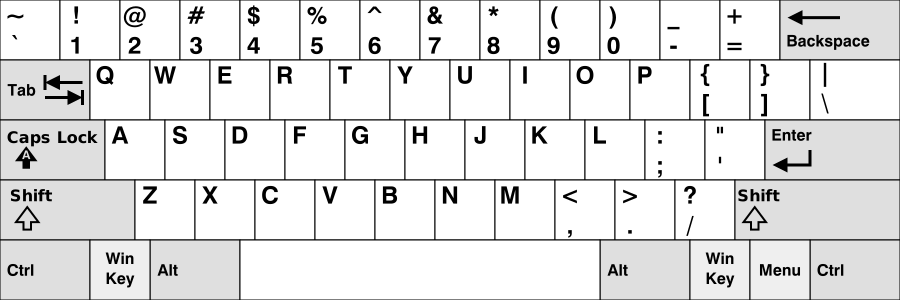
It is tempting to glance at the keyboard when you are unsure of a key's location. However, each time you look down, you break the cycle that builds muscle memory. Your brain learns that it can rely on your eyes instead of your fingers, and the neural pathway for touch typing never fully develops. The goal is to train your fingers to feel their way to each key using the small bumps on the F and J keys as anchor points.
Research on motor learning shows that the transition from conscious effort to automatic movement, sometimes called proprioception (your body's sense of where your limbs are without looking), typically requires between 20 and 50 hours of deliberate practice for basic keyboarding skills. At 15 to 20 minutes of focused practice per day, most learners begin to feel the shift within two to three weeks.
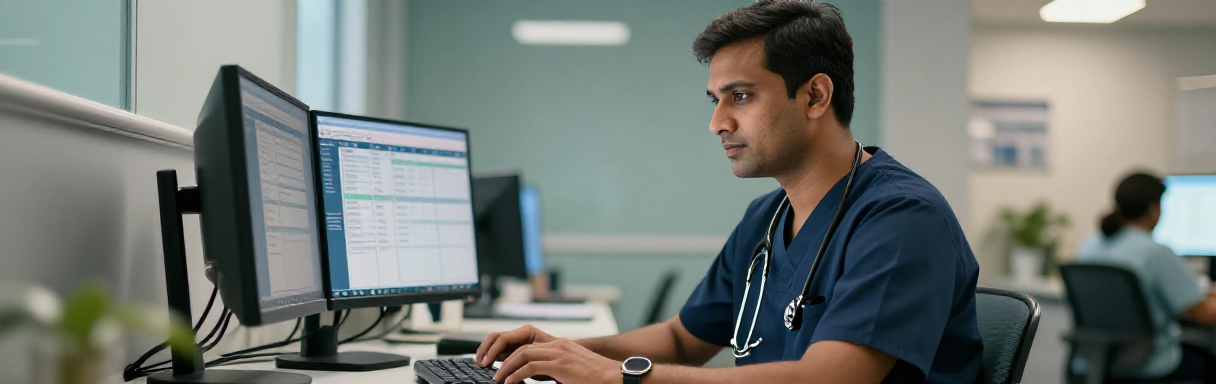
Healthcare Connection: In a busy medical office, a receptionist who can type without looking at the keyboard can maintain eye contact with patients while entering their information into the electronic health record (EHR). This improves both patient rapport and data entry accuracy. Healthcare professionals who develop strong touch-typing skills report less physical strain and faster documentation times.
Part 2 of 4 — Your 10 WPM Target
Your goal for this week is to reach 10 words per minute. That may sound modest, but for someone who has never touch-typed before, 10 WPM represents a meaningful milestone. It means your fingers are beginning to find keys without looking, and the foundation of muscle memory is forming.
What 10 WPM Looks and Feels Like
In typing speed measurement, one "word" is defined as five characters (including spaces). At 10 WPM, you are typing approximately 50 characters per minute, or roughly one character every 1.2 seconds. That pace is deliberately slow, and that is the point. At this stage, you are not racing. You are training your fingers to move to the correct keys consistently.
To put this in perspective, consider the following comparisons:
- 10 WPM — Beginner level. You are learning the keyboard layout and building initial muscle memory.
- 30 WPM — Functional speed. You can handle basic office tasks comfortably (your Week 5 goal).
- 60 WPM — Proficient. You can keep up with most workplace demands, including fast-paced data entry.
- 100+ WPM — Expert. Professional transcriptionists and court reporters often type at this speed.
Setting Realistic Daily Practice Goals
Consistent, short practice sessions are far more effective than occasional long ones. Research on skill acquisition supports the following approach:
- Practice 15 to 20 minutes per day. Short, focused sessions prevent fatigue and frustration.
- Practice at the same time each day. Building a routine helps your brain treat typing practice as a habit rather than a chore.
- Use structured lessons. Your SAM Cengage keyboarding activities introduce new keys gradually so you are not overwhelmed.
- End each session with a timed test. Complete a timed typing test in SAM to track your progress each session.
Pro Tip: If you miss a practice day, do not try to make up the time by doubling the next session. Simply resume your regular 15- to 20-minute routine. Consistency matters more than total time.
Part 3 of 4 — Accuracy Before Speed
It is natural to want to type faster. However, at this stage of your keyboarding development, accuracy is far more important than speed. Here is why: when you type a word incorrectly and do not correct it, your brain still records that movement pattern. Over time, incorrect patterns become habits that are difficult to break. By prioritizing accuracy now, you build clean muscle memory from the start.
The 70% Accuracy Threshold
Your target for this week is 70% accuracy, meaning that at least seven out of every ten characters you type should be correct. This threshold was chosen because it represents a realistic starting point for beginners while still requiring deliberate effort. As your muscle memory develops over the coming weeks, you will raise this threshold to 75%, 80%, and eventually 90% or higher.
Building Good Self-Correction Habits
When you make an error during practice, use the following approach:
- Stop immediately. Do not continue typing if you notice a mistake.
- Press Backspace to delete the incorrect character.
- Retype the correct character slowly and deliberately. Focus on the correct finger movement.
- Continue at your normal pace. Do not rush to "make up" for the pause.
This stop-and-correct approach may feel slow, but it reinforces the correct neural pathway each time. Over time, your error rate will drop naturally as your fingers learn to reach the right keys automatically.
Knowledge Check
Healthcare Connection: Accuracy in typing directly affects accuracy in healthcare documentation. A misspelled medication name, an incorrect patient ID number, or a transposed digit in a dosage can have serious consequences. By building accuracy-first typing habits now, you are developing a skill that supports patient safety throughout your career.
Click the card to flip it
Part 4 of 4 — Measuring and Tracking Your Progress
You cannot improve what you do not measure. Tracking your typing speed and accuracy over time gives you concrete evidence of your progress, helps you identify patterns that need more practice, and keeps you motivated as you see your numbers improve week after week.
Using Your WPM Tracker Document
Each week, you will record your typing test results in your WPM Tracker Word document. This tracker serves two purposes: it gives you a record of your improvement, and it provides practice using Microsoft Word (a skill you are building simultaneously in this course). For each practice session, record the following:
- Date of the practice session
- WPM score from your timed test
- Accuracy percentage
- Notes on which keys or words were most difficult
How Timed Tests Work
Most online typing tests follow a standard format. You are given a passage of text, and you type it as quickly and accurately as possible for one minute. The tool then calculates the following:
- Gross WPM — Total words typed, including errors
- Net WPM — Gross WPM minus errors (this is your true speed)
- Accuracy — The percentage of characters typed correctly
Focus on your Net WPM and accuracy scores. A high gross WPM with low accuracy means you are typing fast but making many mistakes, which is not useful in a professional healthcare setting.
Self-Reflection: Identifying Your Weak Spots
After each timed test, take a moment to reflect on the following questions:
- Which keys did I reach for incorrectly most often?
- Did I have to look at the keyboard? If so, for which keys?
- Were certain words or letter combinations especially difficult?
- Did I remember to use the correct finger for each key?
Use your answers to plan your next practice session. If you consistently struggle with the letter "b," for example, spend extra time on drills that focus on that key before moving on to general practice.
Knowledge Check
Key Takeaway: Reaching 10 WPM is not about speed. It is about building the correct habits: proper posture, home row positioning, eyes on the screen, and consistent daily practice. These habits are the foundation that will carry you to 17 WPM next week, 23 WPM in Week 4, and 30 WPM by the end of this course. Trust the process and track your progress.
Click two items to swap their positions, then check your answer.
Five-Minute Typing Test
Put your skills to the test. Type the healthcare passage below to see your current WPM and accuracy. Focus on finding the correct keys without looking at the keyboard. Speed will come with practice.
Test Complete!
Compare to Your Baseline: Check your results against your Week 1 baseline score. Even a small improvement in WPM or accuracy shows that your daily practice is working. If your speed has not changed yet, focus on accuracy first. Speed follows naturally once your fingers learn the key positions.
Lesson 2.1 Summary
- Muscle memory develops through repetitive, correct practice that builds neural pathways between your brain and fingers.
- Looking at the keyboard interrupts the muscle memory process; use the bumps on the F and J keys to orient your hands by feel.
- At 10 WPM you type approximately 50 characters per minute, which is a realistic starting benchmark for beginners.
- Accuracy (70% or higher) matters more than speed at this stage because incorrect patterns become hard-to-break habits.
- Track your WPM, accuracy, and difficult keys after every practice session to identify areas for improvement.
- Practice 15 to 20 minutes daily using SAM Cengage keyboarding activities for the best results.